Grimoire Standalone
ControlNet and image guidance
ControlNet adds an image-derived constraint to a prompt to guide structure such as pose or depth.
ControlNet adds an image-derived constraint to a prompt to guide structure such as pose or depth.
Find and open this tool
Click ControlNet in the left AI rail or the AI tab on the right.

ControlNet workflow
- Install compatible ControlNet/base-model components and required nodes.
- Select ControlNet and choose the intended reference mode/source.
- Prepare an OpenPose or depth reference with the available AI reference tools when appropriate; inspect it before use.
- Choose the matching ControlNet model, prompt, strength, and timing controls. Generate and review.
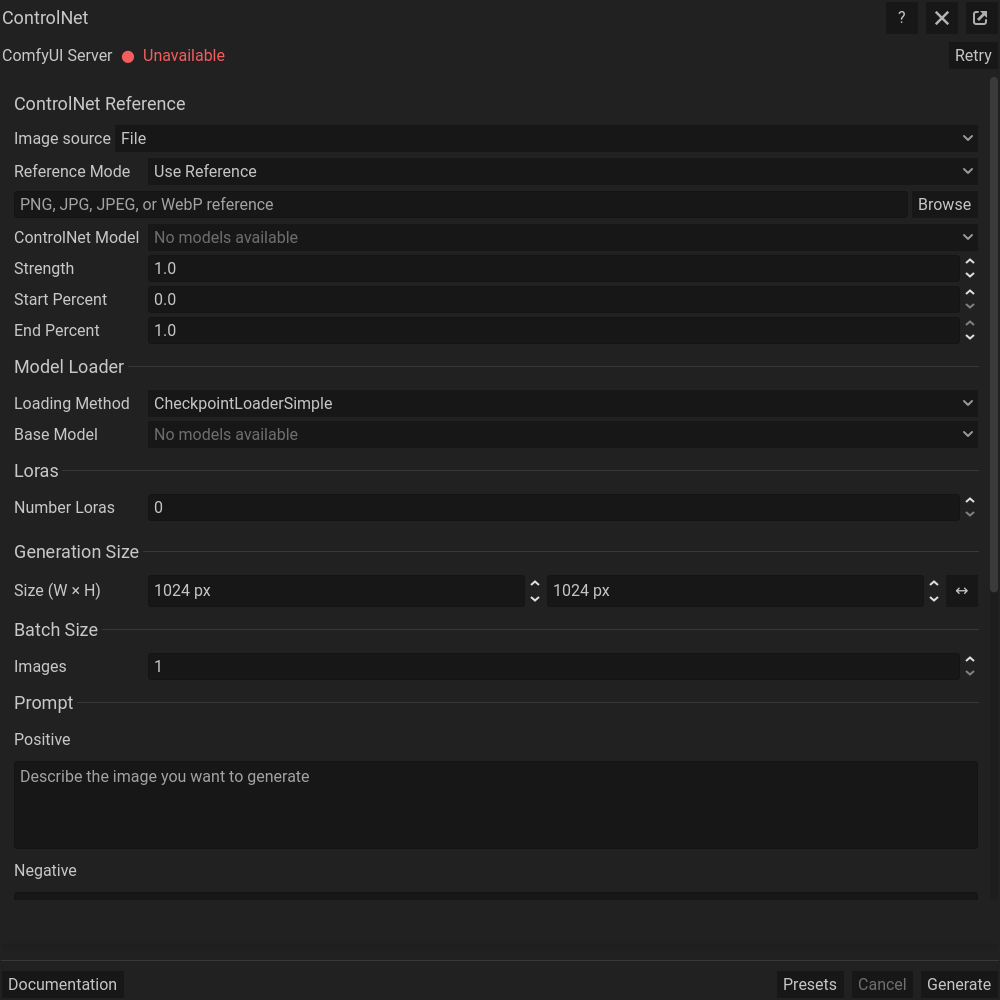 ControlNet and image guidance: actual floating dialog. Scroll within the dialog for more settings.
Guidance controls
Strength controls how strongly guidance influences the result. Start/end settings control the sampling interval during which guidance acts. A reference type must match its model; a pose image is not interchangeable with a depth map.
Pixel art postprocessing
At the bottom of the workflow, enable Pixelate to simplify output with Standard Pixelate or Neural Pixelate. Palette Reduction limits the colors; choose the palette source where available. Enable Keep Original Output to compare the raw and processed versions before Send. Inspect small details and edges after processing. See Pixel art utilities for the processing methods.
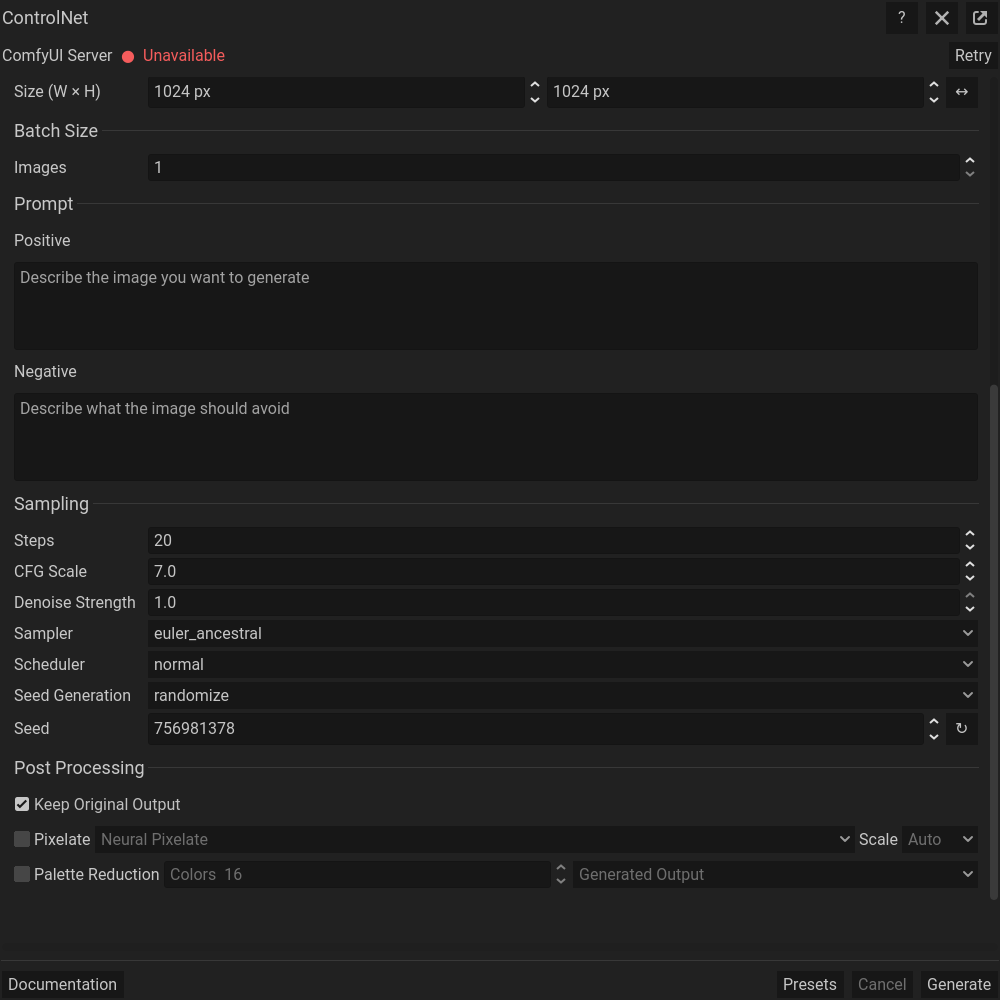 The same dialog scrolled down to its remaining settings; generation controls stay at the bottom.
Common problems
Missing ControlNet models or node types require setup rather than prompt changes. Distorted results can indicate incompatible model families, incorrect reference type, or excessive guidance strength.