Grimoire Standalone
Pixel art utilities
Process the active frame or finish generated outputs. The utilities mix built-in operations with optional processing sidecars.
Process the active frame or finish generated outputs. The utilities mix built-in operations with optional processing sidecars.
Find the processing tools
For pixelation and repair, click Image Processing → Pixel Tools. For color operations, choose Palette Tools in that same group. Their options appear above the canvas.
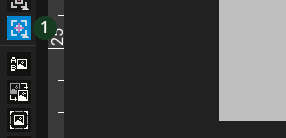 The processing group exposes Pixel Tools and Palette Tools.
Pixel Tools
Standard Pixelate simplifies resolution/blocks locally. Neural Pixelate uses its optional model sidecar with Auto or 2×–8× model scales. Pixel-Art Fixer offers Full reconstruction and Fast cleanup through its sidecar. Compare against the original: cleanup can also change intended details.
Palette Tools
Palette Reduction limits colors. Advanced Palette Reduction adds sidecar controls such as iteration count and weighting. Palette Transfer maps to Current Grimoire Palette, Reference Image, or Locked Animate Palette while preserving alpha. Choose one shared palette across animation frames to reduce color flicker.
Resize Tools
Sprite Resize uses requested width/height with optional source-aspect locking. K-Centroid Resize uses a processing sidecar and its centroid/iteration controls. Inspect outlines after scaling; a resize operation changes output dimensions, while import policy decides placement in the current canvas.
Finish an AI sprite
- Keep the raw output for comparison.
- Pixelate to the intended sprite scale.
- Reduce or transfer colors using a chosen palette.
- Use Mixel Heal or manual brushes for remaining fringes.
- Review the result before Send/export.
Common problems
Sidecar unavailable: check the installed runtime/optional tool status. Wrong palette: verify the selected palette source. Lost detail: compare a less aggressive scale/color count. Utilities operate on the selected source/frame; confirm that source before running.